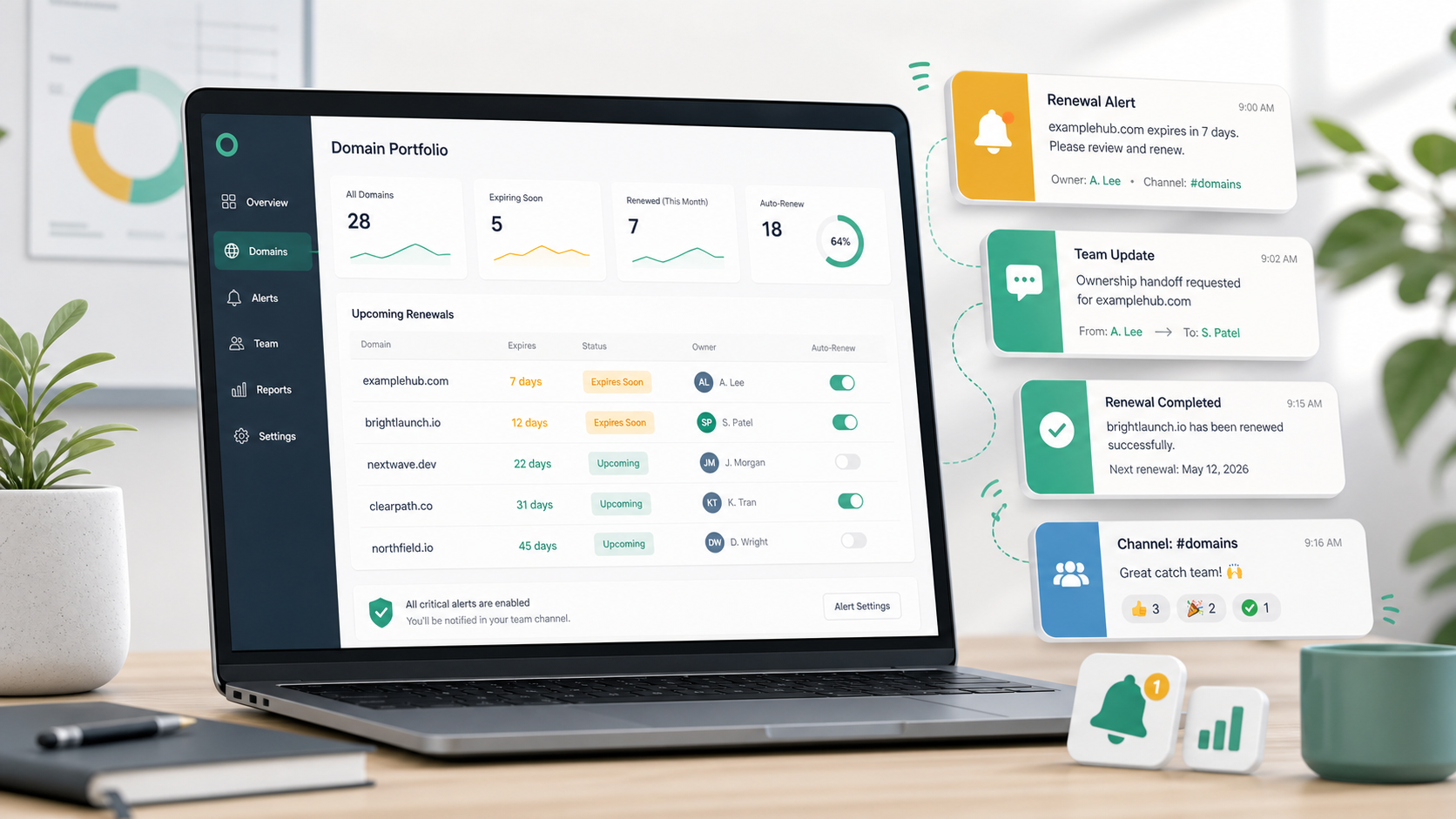
Slack is where many teams notice operational work first. An account manager asks whether a client domain was renewed. An engineer flags an SSL issue. A founder asks who owns a product-launch domain. A support teammate notices that a customer-facing URL is behaving strangely.
That makes Slack a natural place for domain expiration alerts. But simply sending every renewal warning into a channel is not enough. If the alerts are too vague, too frequent, or disconnected from ownership, they become background noise. If they go to the wrong channel, nobody owns the next action. If they arrive without domain context, the team still has to search registrar accounts, spreadsheets, tickets, and old emails before acting.
The useful question is not whether Slack can receive domain alerts. It is how to design them so they create clear action before a domain becomes urgent.
Slack should be a routing layer, not the whole system
A Slack alert has one job: get attention where the team already works. It is not, by itself, a domain inventory, renewal policy, registrar record, or ownership model.
That distinction matters. A renewal alert should point back to structured information: the domain name, expiration date, registrar, owner, status, notes, and reminder settings. Without that record, Slack only tells the team that something is coming due. It does not tell them who can renew it, whether the client must approve it, or whether the domain is still needed.
The strongest setup uses Slack as the notification channel and a domain management system as the source of truth. Slack gets the team's attention. The domain record explains what to do next.
Choose channels based on responsibility
The first design decision is where alerts should land. A single all-purpose channel may work for a small team, but it often fails as the portfolio grows.
Consider routing by responsibility instead of convenience:
- Agency client domains can go to an account operations or client services channel.
- Internal production domains can go to an IT, infrastructure, or operations channel.
- Marketing campaign domains can go to a marketing operations channel.
- High-risk or executive-visible domains can go to a smaller escalation channel.
- Low-risk parked or redirect domains may not need Slack at all.
The goal is to put each alert in front of the people who can decide or act. If a channel only contains people who are interested but not responsible, the alert may still be missed.
Make each alert answer the first five questions
A useful Slack domain expiration alert should reduce investigation, not create it. At a minimum, the message should help the team answer five questions quickly:
- Which domain is expiring?
- When does it expire?
- Who owns or is responsible for the renewal?
- Which registrar or account is involved?
- Where can the team see the full domain record?
For agencies, the alert should make client context clear. For IT teams, it should make operational risk clear. For founders and operators, it should make the next action clear enough to prevent the message from sitting unresolved in the channel.
Short alerts are usually better than long ones, but missing context is expensive. The message should include enough information for triage and link back to the record for the details that do not belong in Slack.
Use earlier warnings for domains that require coordination
Not every domain needs the same lead time. Some renewals can be handled in minutes. Others require client approval, finance signoff, legal review, access recovery, vendor coordination, or a decision about whether the domain should be retired.
Slack is especially useful for domains that require coordination because it makes the renewal visible to the group before the deadline becomes urgent. A 30-day alert may be enough for ordinary internal domains. A production client domain may need 60 or 90 days if approval and access are uncertain.
The reminder window should reflect the time needed to act safely, not just the date shown in the registrar account.
Avoid creating alert noise
Slack can make domain renewal risk visible, but it can also make routine reminders easy to ignore. Alert noise usually comes from three mistakes:
- Sending alerts for every domain to the same broad channel.
- Sending repeated messages without changing urgency or ownership.
- Alerting on domains that are expired, retired, parked, or no longer operationally relevant.
The fix is not to avoid Slack. The fix is to be selective. Route Slack alerts for domains where shared visibility matters. Keep low-risk records on email or portfolio review. Pause reminders for domains that should no longer trigger action. Mark retired and expired records clearly so they do not compete with active renewal work.
A good reminder workflow should support defaults, exceptions, and disabled channels per domain. That lets Slack stay useful instead of becoming a second noisy inbox.
Pair Slack alerts with a review rhythm
Slack alerts are strongest when they support an existing renewal process. They are weaker when they are the only process.
A practical team workflow looks like this:
- Keep a central domain inventory with registrar, expiration, owner, and notes.
- Set workspace reminder defaults for ordinary domains.
- Enable Slack alerts for domains where shared visibility matters.
- Use earlier alert timing for domains that need approval or coordination.
- Review the next 30, 60, and 90 days on a recurring schedule.
- Update ownership, notes, and reminder routing after each renewal or handover.
This rhythm keeps Slack from becoming the only place domain work lives. The channel surfaces the risk. The recurring review keeps the portfolio accurate.
Decide what happens after the alert
Many reminder systems stop at delivery: message sent, job complete. Operationally, the more important question is what happens next.
Every team should decide how Slack renewal alerts are handled. Does someone acknowledge the alert? Does the owner create a task? Does the account manager ask the client for approval? Does IT confirm registrar access? Does finance confirm the renewal payment method? Does the team mark the domain for retirement instead?
The answer does not need to be complicated. But if the channel sees the same alert and nobody knows who owns it, Slack has only made the uncertainty more visible.
When Slack is not the right channel
Slack is useful for shared operational awareness, but it is not always the best destination. Email may be better for a formal renewal notice. SMS may be better for a critical escalation. A webhook may be better when the team wants to create tickets or trigger an internal workflow. Some domains may not need active reminders because they are intentionally parked, expired, or disabled.
The best way to track domain renewals is not to force every domain through the same channel. It is to match the channel to the risk, owner, and action required.
Where domainnotifications.com fits
domainnotifications.com supports Slack domain expiration alerts as part of a broader renewal-monitoring workflow. Teams can manage domains across registrars, import existing spreadsheets, track owners and notes, set workspace defaults, customize or disable channels per domain, and route reminders through email, Slack, SMS, or webhooks according to plan and channel setup.
If your team is comparing domain expiration monitoring tools, the domain expiration reminder software page explains the product workflow. Teams that need a broader operating view can also review the domain portfolio management software page.
Slack alerts work best inside a clear renewal system: one inventory, one owner, the right channel, and enough lead time to act before the domain becomes urgent.